About Jis Compare
Jis Compare shows you exactly what changed when someone sends "the updated version" of a contract, lease, job offer, policy or quote.
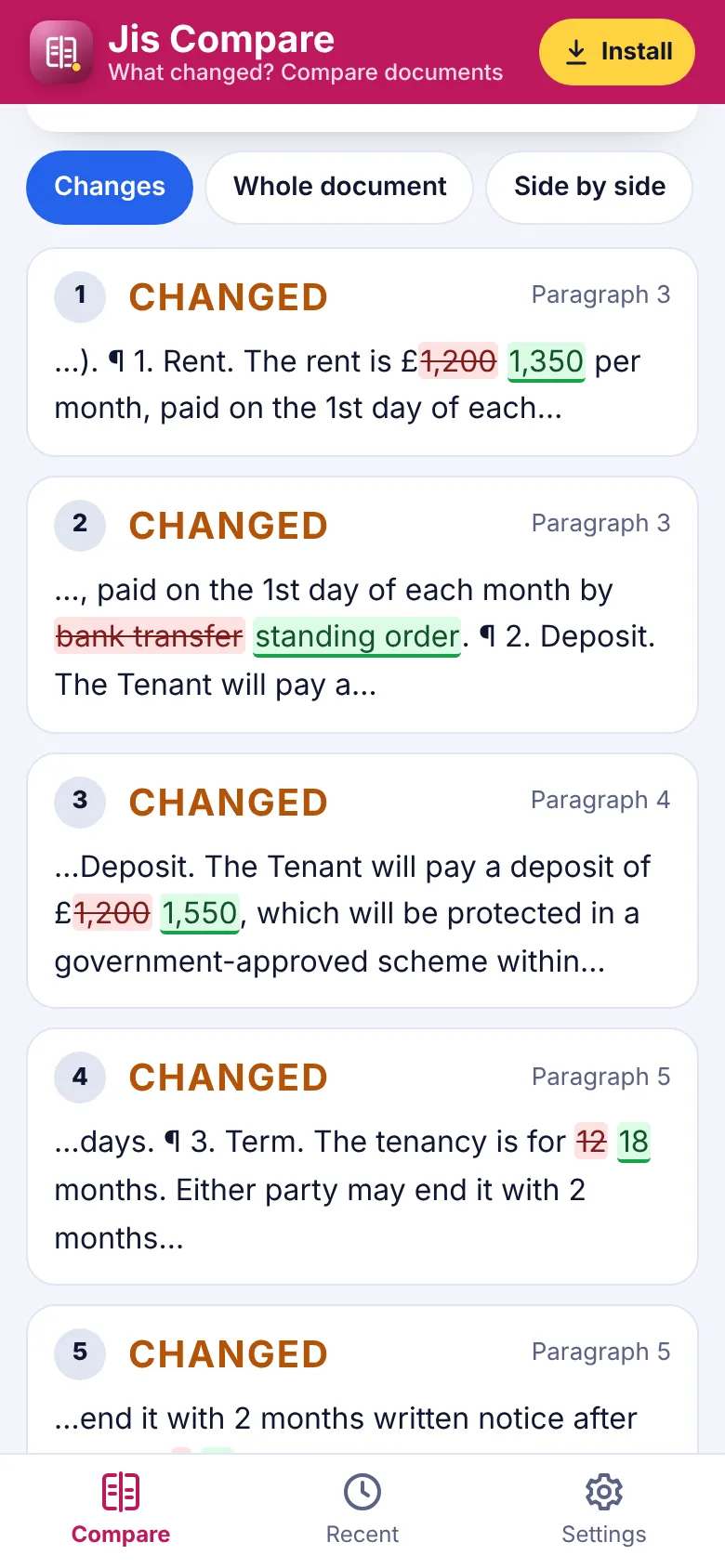
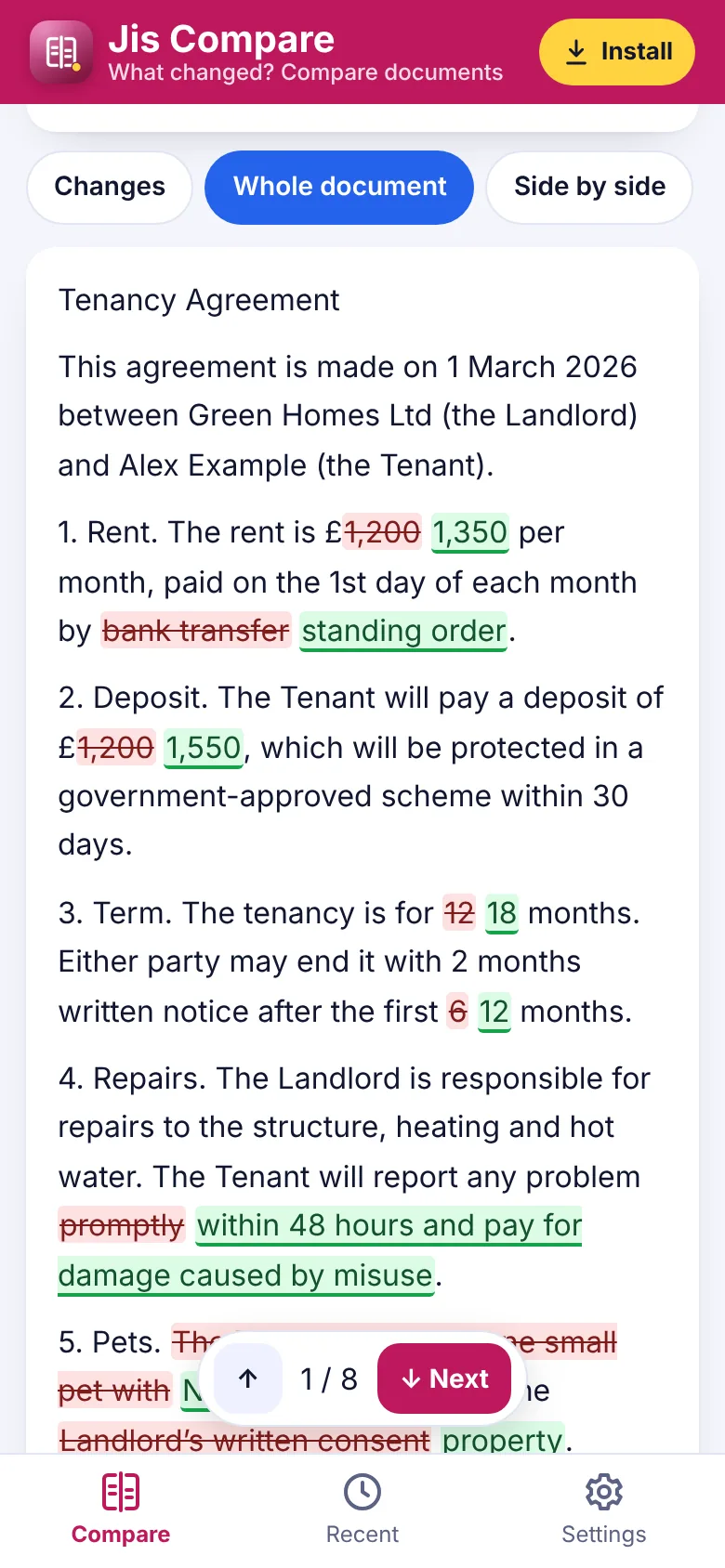
Add the old and the new version – PDF, Word (DOCX, DOC, ODT, RTF) or text, or paste the text. Jis Compare lines them up word by word and shows every word added in green and every word removed in red. Spacing, line breaks and page numbers are ignored, so a PDF and a Word file of the same text compare cleanly.
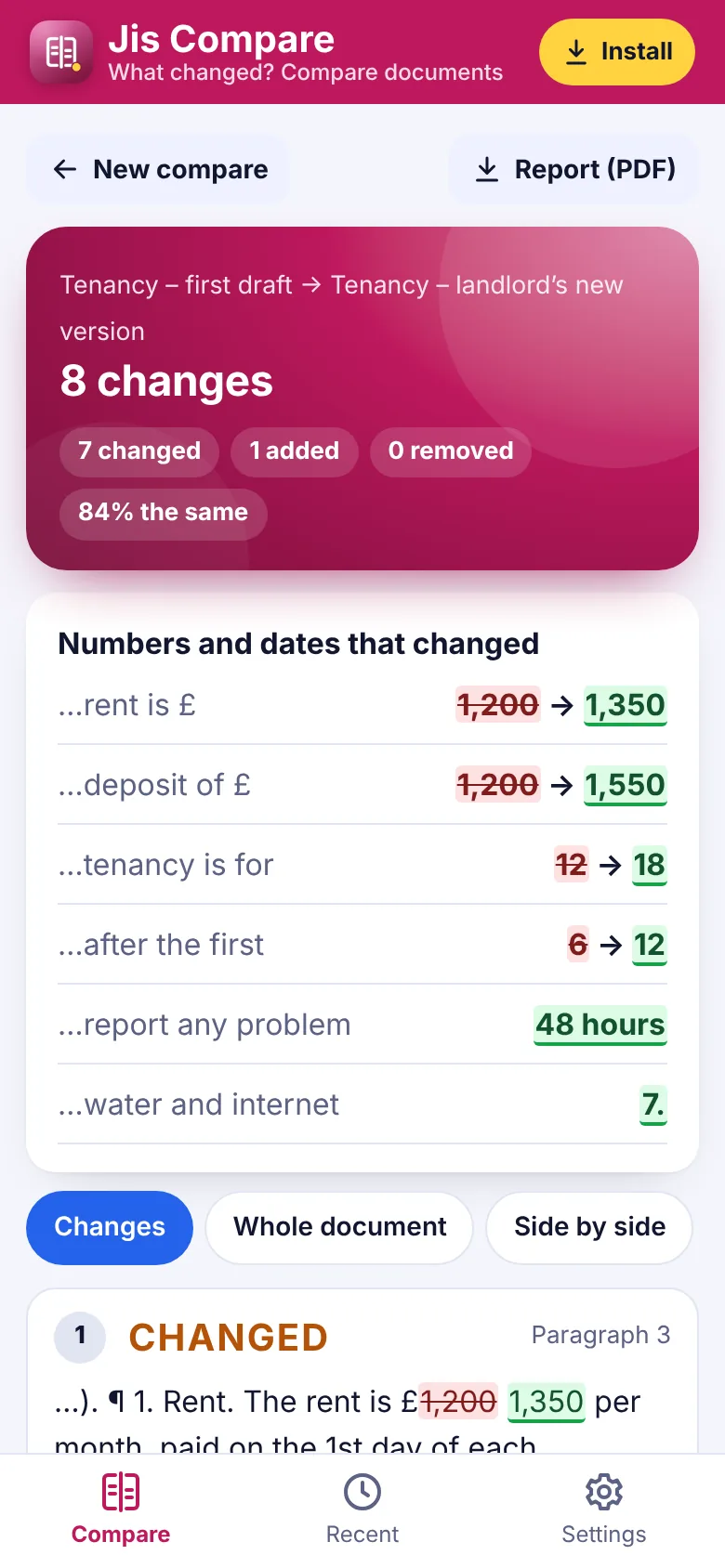
The summary lists every number and date that changed – rent, salary, notice period, deposit – so the important changes jump out. Step through the changes one by one, read the whole document with changes marked, or see both versions side by side. Save a change report as a PDF to keep or send back.
Everything happens on your device.
What you can do
- Compare PDF, Word and text
- Every added and removed word
- Numbers and dates that changed
- Changes list, whole document, side by side
- Jump from change to change
- Change report as PDF
- Reads scanned pages too
- Nothing is uploaded
How to get Jis Compare
- Start your free trialPick a plan. It's free for 7 days and you can cancel any time.
- Open Jis CompareOn iPhone use Safari, on Android use Chrome, on a computer use Chrome or Edge.
- Install itiPhone: ••• (or Share) › Share › Add to Home Screen › Add. Android: ⋮ › Install app. Computer: the install icon in the address bar. See every step with pictures.
- Enter your keyType your membership key once. It works for every app.
Questions about Jis Compare
Can it compare a PDF with a Word file?
Yes. It compares the words, so the old version can be a PDF and the new one a Word file.
Does it work with scanned documents?
Yes. Scanned pages are read as pictures on your phone, which takes a little longer. The reader is downloaded once the first time you use it.
Does it compare formatting?
No. It compares the words and numbers only – not bold text, colours, layout or pictures.

One membership. Every app.
7 days free, then from £5.00 a month. Cancel any time.