
About Jis Pixel
Jis Pixel is a full photo editor that also converts and shrinks pictures – all on your phone or computer.
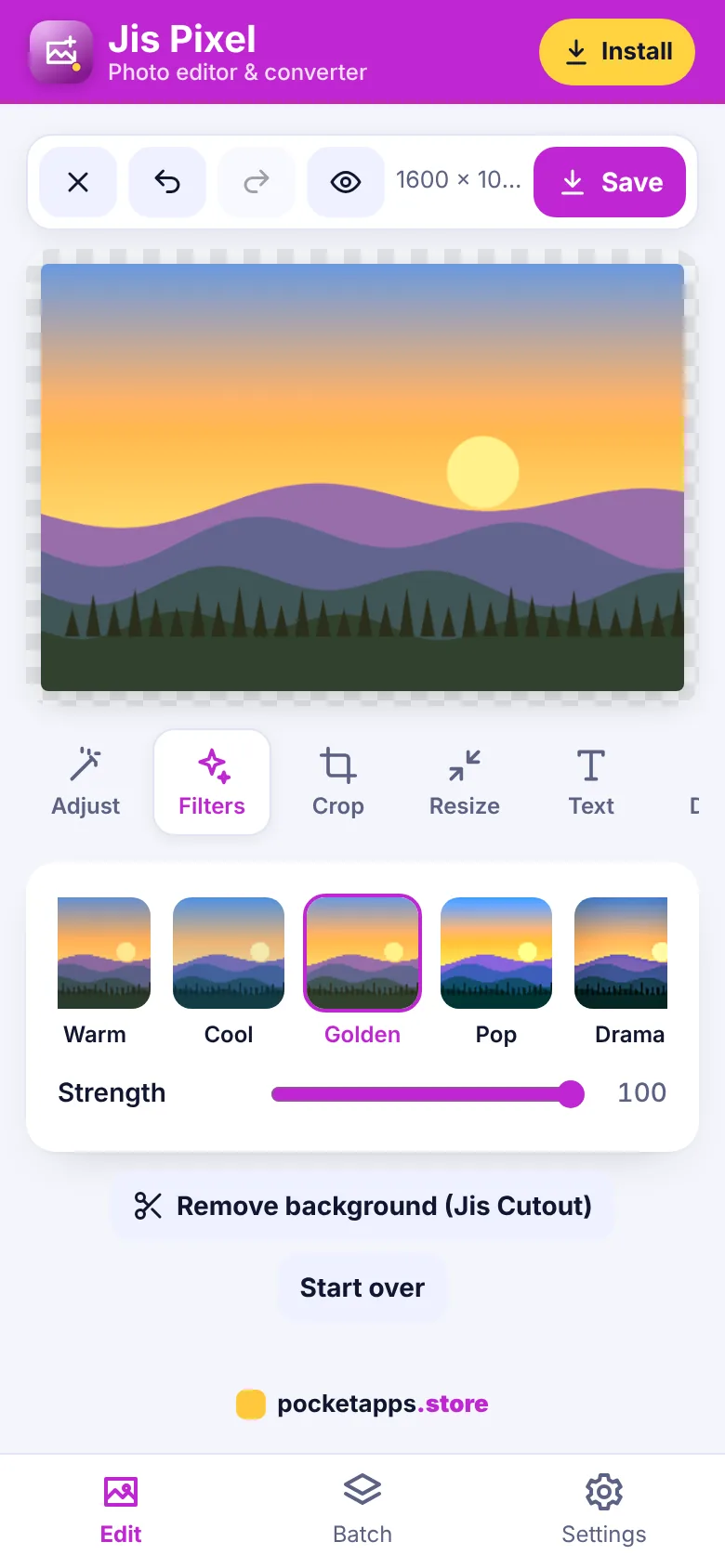
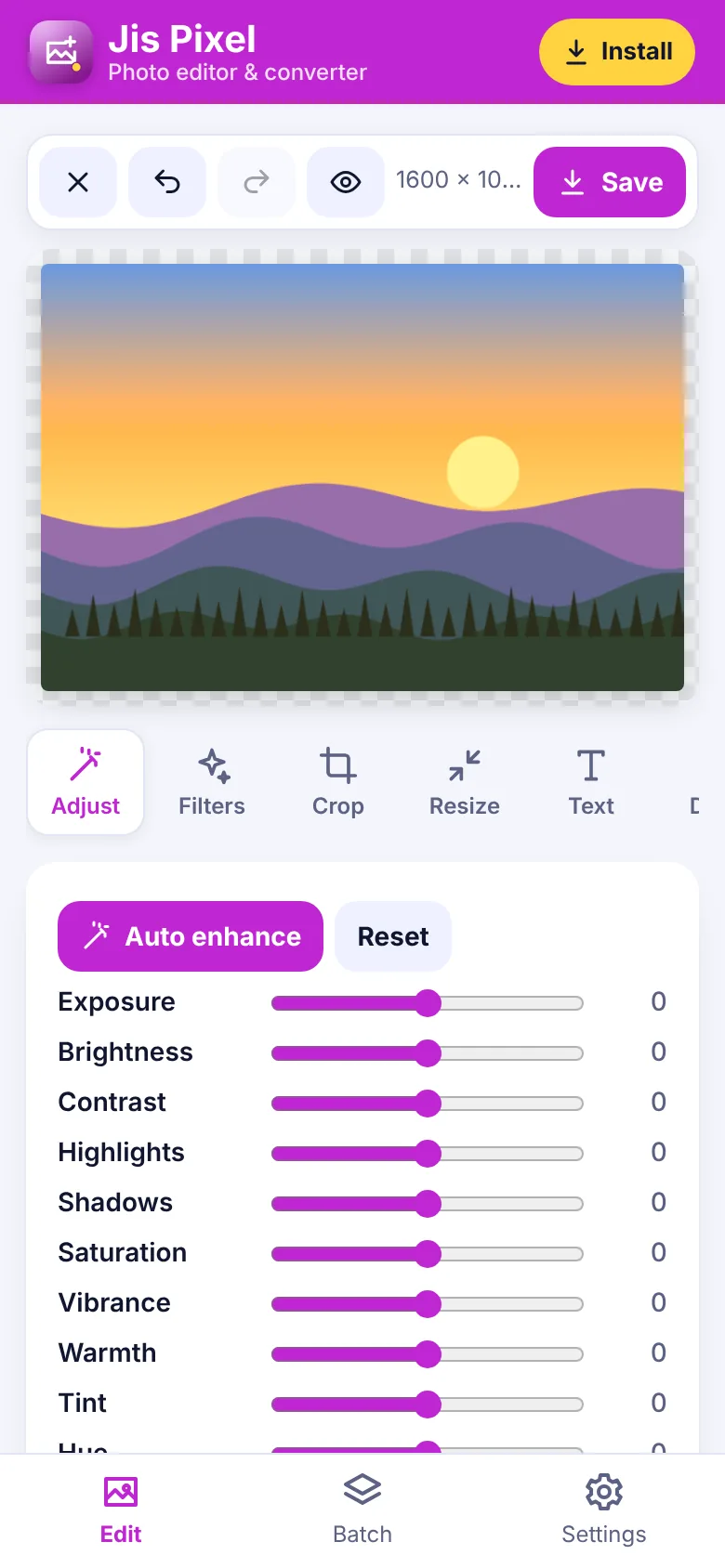
Open a photo, take one or paste one. Try one-tap filters like Vivid, Golden, Film, Teal & orange and Noir, or Auto enhance, then fine-tune with 17 sliders: exposure, contrast, highlights, shadows, saturation, warmth, sharpen, blur, vignette, grain and more. Crop to Square, Story, Post or any shape, rotate, flip and straighten. Add text in any language, draw and highlight, blur or pixelate faces, number plates and addresses, and add a border, rounded corners or a watermark. Undo anything, and hold Before to compare.
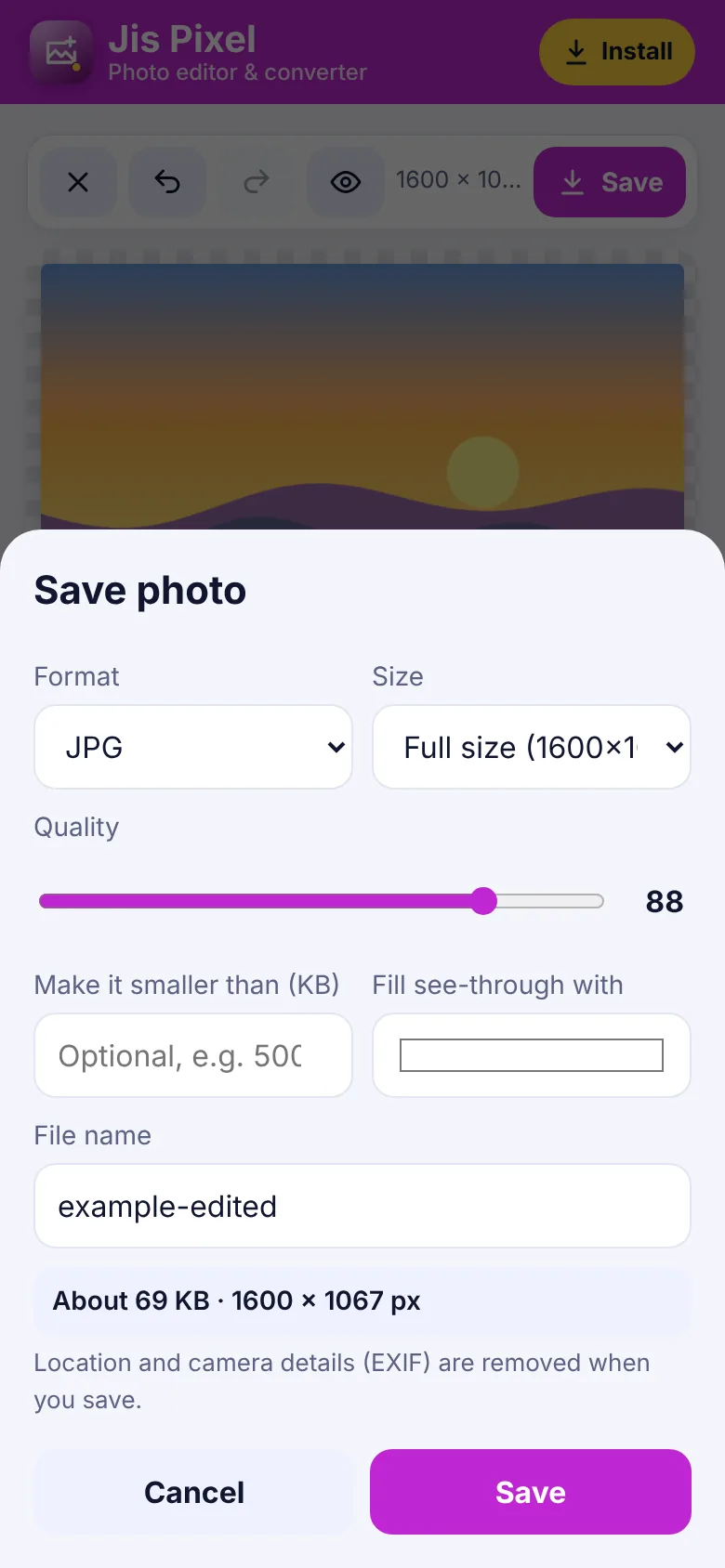
Save as JPG, PNG, WebP, AVIF, BMP, ICO or PDF at any size – or make it smaller than a size you choose, like 200 KB for a form. Batch mode converts and shrinks lots of photos at once. Location and camera details are removed when you save.
What you can do
- 18 one-tap filters and Auto enhance
- 17 pro adjustment sliders
- Crop, rotate, flip and straighten
- Text, drawing and highlighter
- Blur or pixelate private parts
- Borders, round corners, watermark
- JPG, PNG, WebP, AVIF, BMP, ICO, PDF
- Shrink under any KB size, in batches
How to get Jis Pixel
- Start your free trialPick a plan. It's free for 7 days and you can cancel any time.
- Open Jis PixelOn iPhone use Safari, on Android use Chrome, on a computer use Chrome or Edge.
- Install itiPhone: ••• (or Share) › Share › Add to Home Screen › Add. Android: ⋮ › Install app. Computer: the install icon in the address bar. See every step with pictures.
- Enter your keyType your membership key once. It works for every app.
Questions about Jis Pixel
Are my photos uploaded?
No. Everything happens on your device, and photos never leave it.
How do I make a photo smaller than 200 KB?
Tap Save and type 200 in Make it smaller than. Jis Pixel lowers the quality first and then the size until it fits.
Which format should I use?
JPG or WebP for photos, PNG for logos, screenshots and see-through pictures, ICO for website icons and PDF for documents.
Can it open iPhone HEIC photos?
On iPhone, iPad and Mac Safari, yes. On other browsers set your iPhone camera to Most Compatible, or share the photo as JPG.


One membership. Every app.
7 days free, then from £5.00 a month. Cancel any time.