Home › Blog › PDF & Documents
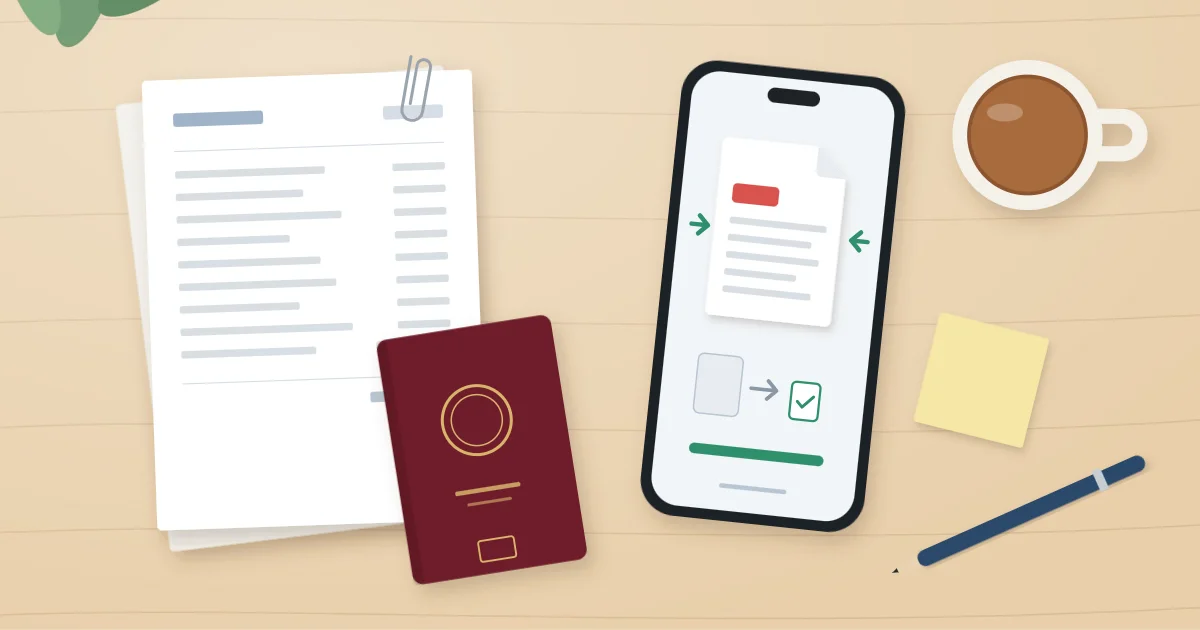
You have scanned every page, filled in every box, and the visa form still says your file is too large. In this guide we show you how to compress PDF for UK visa application uploads on any phone or computer, how small to aim for, and how to keep every page sharp enough for a caseworker to read.
Why your visa upload keeps getting rejected
Most rejections come down to scans that are far bigger than they need to be. A phone scan of a single passport page can be several megabytes on its own, and a six-month bank statement saved in full colour soon becomes too heavy for any upload box.
GOV.UK does not publish one fixed size limit for every route, so the number that matters is the one shown on your own upload screen. Read it before you start, and make a note of it.
If you cannot find a figure, a sensible habit is to aim for a PDF under 2MB per document. That is small enough to clear most government portals and still plenty for clear, readable text.
For the official walkthrough of the evidence section, see the GOV.UK guidance on uploading evidence as part of your visa application.
How to compress PDF for a UK visa application, step by step
This is the order we use, because each step makes the next one easier. Do the cheap fixes first and only squeeze harder if you need to.
- Check the limit. Open the upload page and note the maximum size per file and any total limit.
- Sort your documents. One PDF per item: passport, payslips, bank statements, tenancy agreement, and so on. Name them clearly, such as "Bank-statements-May-Oct.pdf".
- Rescan if the file is huge. A fresh scan at a lower setting often beats compressing a giant file afterwards. Around 150 to 200 dpi is usually plenty for printed text.
- Use greyscale for plain text pages. Payslips and letters rarely need colour. Keep colour for your passport, BRP or anything with photos, stamps or holograms.
- Compress the PDF. Use one of the methods in the next section, starting at the mildest setting.
- Open the result and zoom in. Check names, dates, account numbers and reference numbers. If any digit looks fuzzy, go back a setting.
- Split if it is still too big. A long bank statement can go in as two files, for example May to July and August to October.
What the caseworker needs to see
Smaller is only better up to a point. Every page must be complete, with no edges cropped off, and readable without guessing. A rejected or unreadable document can slow things down far more than a slightly fiddly upload.
If you are unsure what a particular document must show, check the guidance for your visa route on GOV.UK or speak to a regulated immigration adviser. We can help with file sizes, but not with what evidence your application needs.
Ways to reduce PDF size on your phone or computer
You do not need paid software to reduce PDF size. Most devices already have something built in, and it is usually good enough for visa paperwork.
How to compress PDF on iPhone
The Shortcuts app has an action called "Optimise File Size of PDF". Build a small shortcut with that action, run it from the Share sheet on your PDF, and save the smaller copy to Files.
If you are scanning from scratch, use "Scan Documents" in the Files or Notes app and pick the greyscale filter for text pages. That alone often cuts a payslip down to a fraction of its size.
On Android
The scanner in the Google Drive app lets you choose a colour mode before saving. Greyscale or black and white makes a big difference for letters and statements.
On a Mac
Open the PDF in Preview, choose File then Export, and pick the "Reduce File Size" Quartz filter. Be warned, it can be harsh on scans, so zoom in and check before you upload.
On Windows or a Chromebook
If the document started life in Word, use Save As PDF and pick the minimum size option. For scans, the easiest fix is usually rescanning at a lower resolution rather than trying to shrink the existing file.
| Method | Best for | Watch out for |
|---|---|---|
| Rescan in greyscale | Payslips, letters, statements | Keep colour for passports and ID |
| iPhone Shortcuts | Existing PDFs on your phone | Needs a one-off shortcut setup |
| Mac Preview filter | Quick shrinks on a laptop | Can blur small print |
| Free websites | Any device with a browser | Your passport and bank details leave your device |
That last row matters. Free online compressors work, but you are handing a stranger copies of your passport, address and bank statements. Read their privacy policy first, or use a tool that keeps the file on your own device.
A private option: JisDoc Studio
If you would rather your visa paperwork never sat on someone else's server, JisDoc Studio is the document tool in our pocketapps.store membership. It installs straight from your browser onto iPhone, iPad, Android, Windows, Mac or Chromebook, with no app store and no adverts.
Your files are saved on your own device, and many of our tools work offline, which suits sensitive documents like these. There is optional encrypted sync if you scan on your phone and upload from a laptop.
To be straight with you, it will not tell you what evidence your visa needs, and it does not upload anything to the Home Office for you. You still do your UKVI document upload through the official form yourself.
Frequently asked questions
What is the maximum file size for UK visa document upload?
There is no single figure published for every route, so check the limit shown on your own upload page. If none is shown, keeping each file under 2MB is a safe working target.
Will compressing my PDF make it unreadable?
Not if you go gently. Start with the mildest setting, then zoom in on names, dates and numbers. If anything is blurry, use a lighter setting or split the file instead.
Can I combine all my documents into one PDF?
It is usually better to keep one document per file, as the form asks for evidence item by item. One giant PDF is also much harder to get under the size limit.
Should I upload photos instead of PDFs?
Image files are often accepted, but a multi-page document like a bank statement is far tidier as one PDF. Check which formats your upload page accepts before you decide.
Ready to upload?
Check the limit, scan in greyscale where you can, compress gently, and zoom in before you press upload. That routine gets most people through first time.
If you want somewhere private to prepare your documents on your phone or laptop, try JisDoc Studio with a 7-day free trial. Membership is £7.99 a month, £39.99 for 6 months or £59.99 a year, and you can cancel any time. You can also see all 55 apps included.