Home › Blog › PDF & Documents
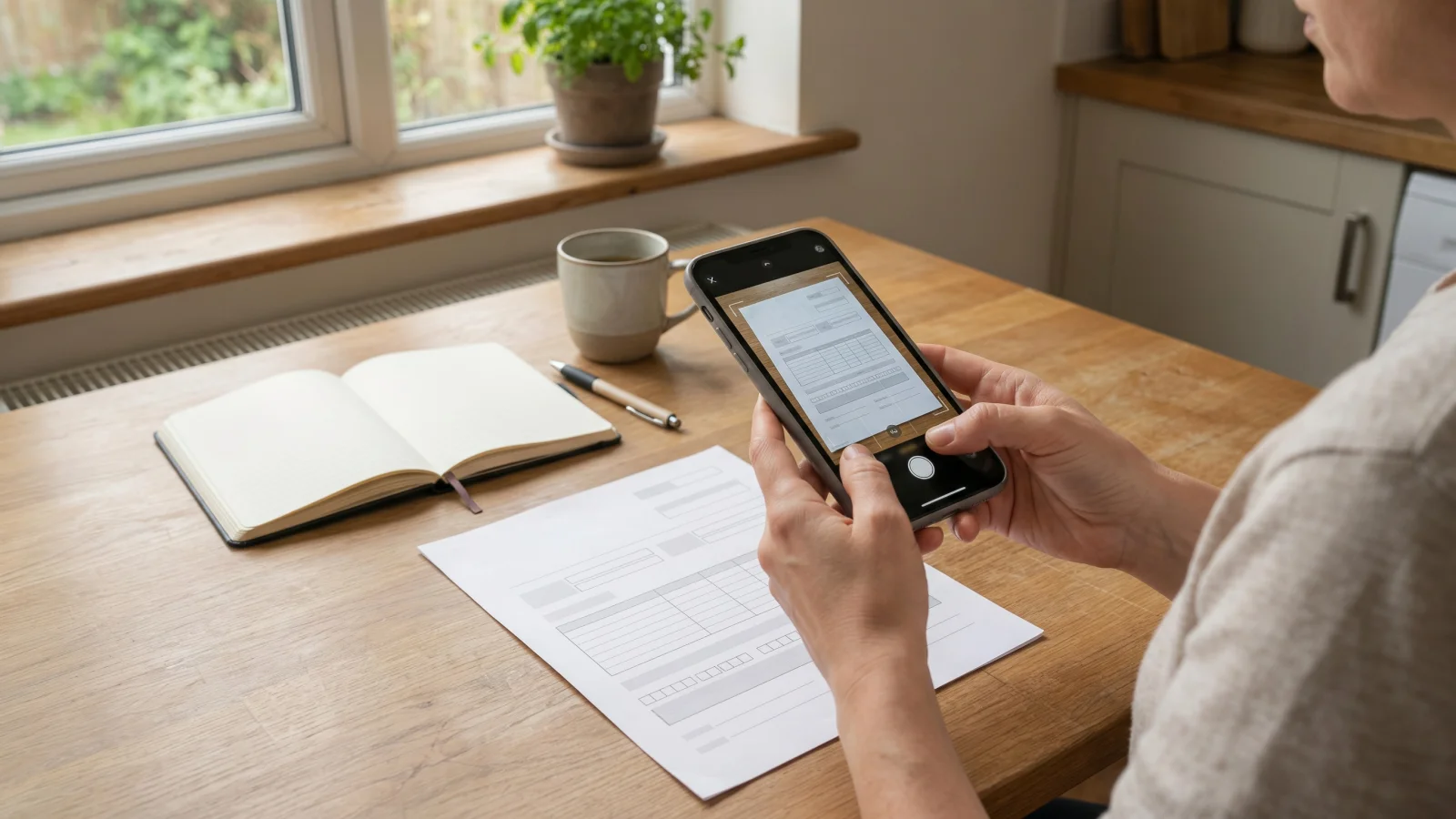
When a local council, high street bank or new employer asks for proof of address or ID, you rarely have a flatbed scanner sitting on the kitchen table. Fortunately, learning how to scan documents with phone to pdf uk takes less than two minutes once you know which settings keep the text sharp. In this guide, we will walk through the built-in tools already on your iPhone or Android device, how to combine several pages into one tidy file, and how to keep sensitive paperwork off third-party cloud servers.
Why a proper PDF beats a quick camera photo
Snapping a standard photo in your camera roll and attaching it to an email often leads to rejected applications. Most UK organisations, from HMRC portals to letting agents running Right to Rent checks, expect a flat, cropped PDF rather than a skewed JPEG with your kitchen worktop in the background.
A proper scan adjusts contrast so dark ink stands out against white paper, flattens curved pages, and keeps file sizes small enough to pass strict upload limits. Many council and job application portals cap uploads at 2MB or 5MB per document, which a single high-resolution phone photo can easily exceed.
How to scan documents with phone to pdf uk using built-in tools
You do not always need to download extra software to turn paper into a clean digital file. Both Apple and Google include basic scanning features inside apps you already have on your handset.
On iPhone and iPad (Apple Notes or Files)
- Open the Files app on your iPhone or iPad and tap the three dots in the top right corner.
- Select Scan Documents from the menu to launch the viewfinder.
- Hold your phone steady directly above the page in good light until the yellow box snaps around the edges.
- If you are scanning a multi page pdf, keep photographing each sheet one after the other before tapping Save.
- Give the file a clear name, such as your surname and the document type, so you can find it quickly when uploading.
On Android phones (Google Drive)
- Open the Google Drive app and tap the Camera icon (or the plus button followed by Scan) in the bottom corner.
- Line up your paper inside the frame and let the auto-capture tool crop the borders, or press the shutter button manually.
- Use the crop and filter icons along the bottom to switch to black and white if you are scanning plain text forms.
- Tap the plus icon in the bottom left to add extra pages to the same file, then tap Done and save it as a PDF.
Comparing ways to scan on your mobile
Different situations call for different tools, especially when you are dealing with private identity documents versus everyday expenses.
| Method | Best for | Where files are stored | Offline use |
|---|---|---|---|
| Built-in iPhone Files | Quick one-off letters and forms | On your device or iCloud | Yes |
| Google Drive Scanner | Android users already using Drive | Uploaded to your Google cloud | Needs connection to save |
| Free ad-supported apps | Occasional non-sensitive pages | Often synced to app vendor servers | Varies by app |
| Jis Scan (Browser PWA) | Private ID, bank statements and receipts | Directly on your own device | Yes, once installed |
Keeping private ID and bank forms on your own device
When you upload a passport, driving licence, P60 or council tax bill to a free phone scanner app from an app store, you are often handing that file over to external servers just to process the image. Many free tools also place watermarks across the bottom corner unless you pay a weekly fee, which can make official documents look unprofessional.
If you want a dedicated phone scanner app that keeps your paperwork private, Jis Scan is built specifically for this job. Because it is a browser-based tool, it installs straight from your browser to your phone's home screen with no app store download and no adverts.
Everything happens locally on your handset, meaning your scans are saved on your own device rather than uploaded to a company server. You can use it offline on the train or in a hospital waiting room, combine several pages into a single document, and save clean PDFs ready for email or web portals. It is part of the wider pocketapps.store membership, which gives you access to 55 private tools across iPhone, iPad, Android, Windows, Mac and Chromebook.
One honest limit to keep in mind is that a phone camera relies on your room lighting and lens quality. If a UK government body or mortgage lender specifically asks for a certified physical copy or a biometric chip check via an official government app, a standard PDF scan will not replace that requirement, so always check the organisation's exact instructions first.
Practical tips for crisp scans every time
Even the best software struggles with shadows and glare. Following a few simple habits will save you from having to re-scan forms twice.
- Use natural daylight near a window: Overhead kitchen bulbs often cast a dark shadow from your phone directly onto the paper.
- Choose a contrasting background: Place white A4 letters on a dark wooden table or a dark mat so the edge detection spots the corners immediately.
- Watch out for glossy plastic: UK driving licences and biometric residence permits reflect light easily, so tilt your phone slightly to move the glare off the text.
- Tidy up expense paperwork early: If you are self-employed and need to scan receipts for your records, scan thermal till rolls within a few days before the ink fades in your wallet.
Frequently asked questions
Will UK banks and councils accept a PDF scanned on a phone?
Yes, most UK banks, local councils and employers accept clear phone-scanned PDFs for proof of address, bank statements and application forms. Make sure all four corners of the page are visible, the text is sharp enough to read easily, and nothing is covered by your fingers.
How do I combine two sides of an ID card into a multi page pdf?
Start a new scan, capture the front of your driving licence or ID card, and look for the add page button instead of hitting save right away. Flip the card over, capture the back as page two, and then export both pages together as a single file.
What should I do if my scanned PDF file size is too large to upload?
Switch the scan colour filter from full colour to greyscale or black and white, which removes heavy background data while keeping text crisp. If the file is still over the portal's limit, re-scan the pages in slightly softer light or split a large bundle into two separate PDFs.
Ready to scan your next document?
Whether you are sending a signed tenancy agreement, organising tax paperwork or submitting ID for a new role, having a reliable scanner on your phone saves a trip to the library or print shop. If you want a fast, private way to capture clean PDFs without adverts or cloud uploads, try Jis Scan today. One membership unlocks all 55 private tools on pocketapps.store for £7.99 a month, £39.99 for 6 months, or £59.99 a year, starting with a 7-day free trial you can cancel any time.